Every day, on the web
Long online forms: creating an account, signing up, answering a questionnaire, filing a request. Save your details once; Verifill puts them in the right place, in the format each field expects, even on a site it has never seen.
Verifill reads the form in front of you, works out what each field expects, and writes an answer the site will actually accept. If you automate your tests, it also gives you a verified selector for every field, and tells you whether it will hold. Everything happens on your computer: nothing is sent anywhere.
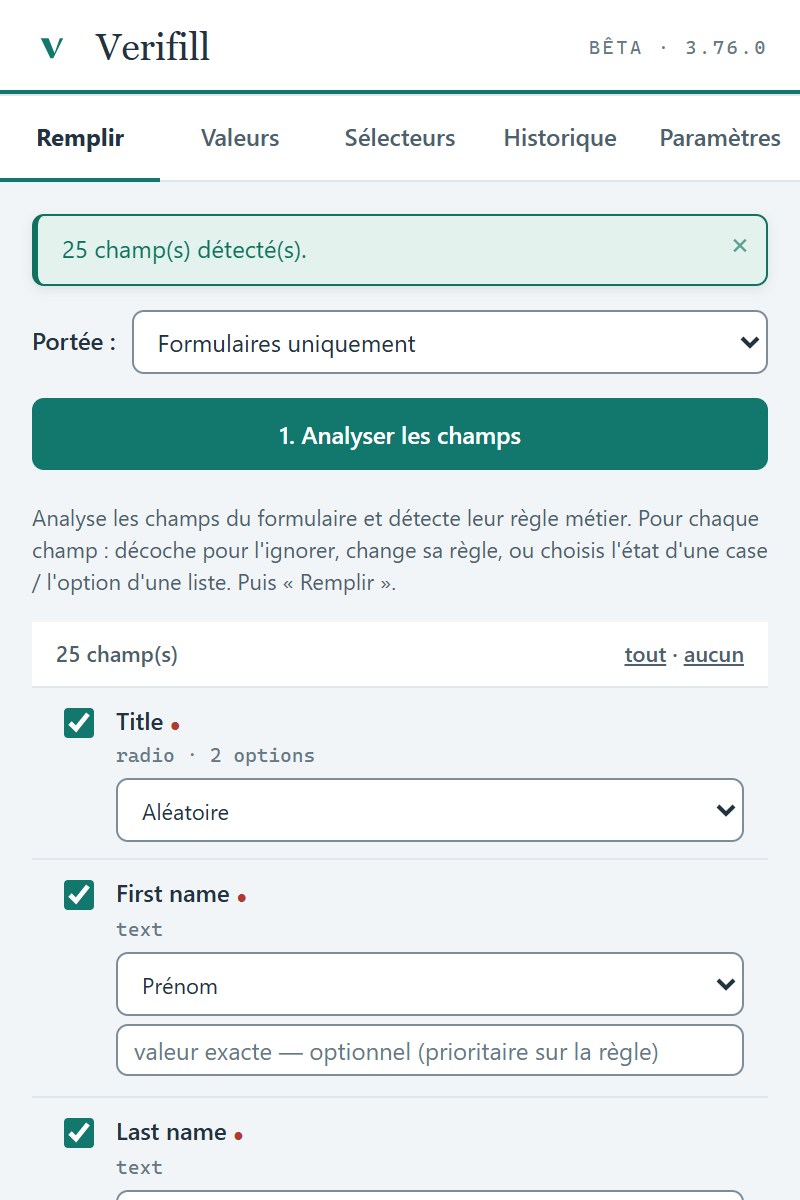
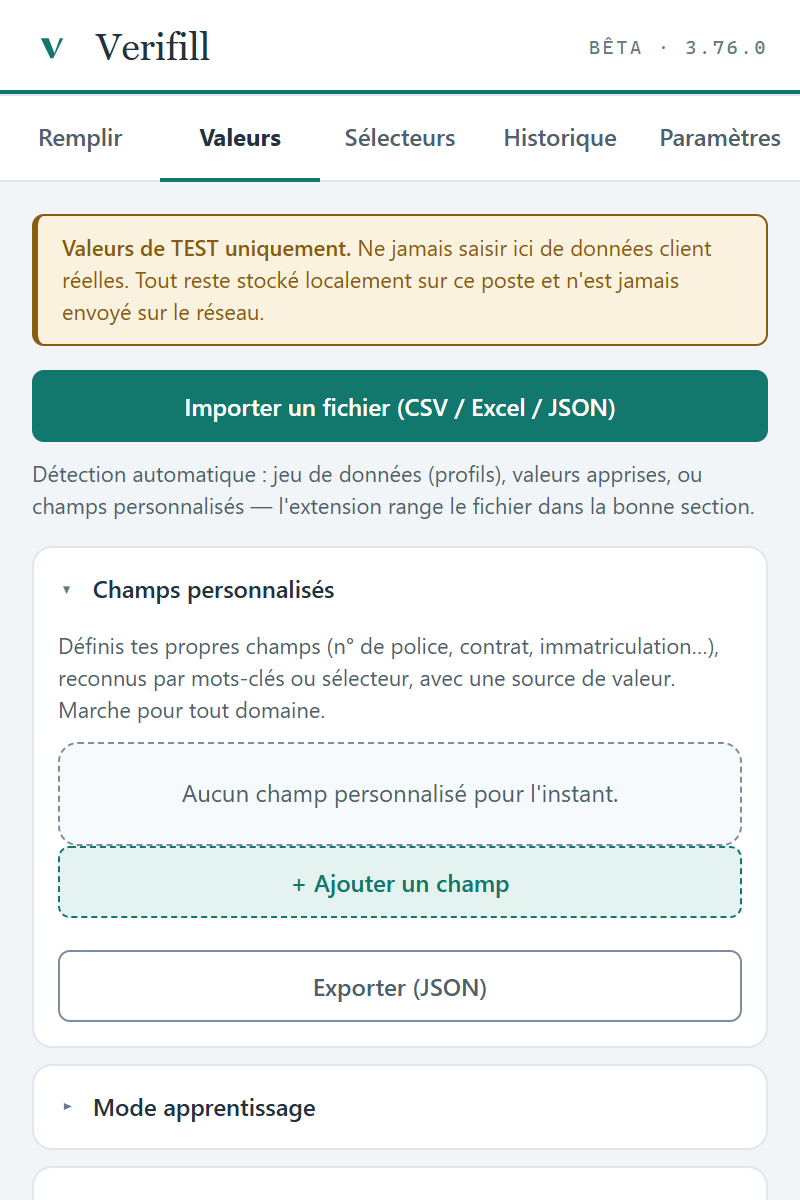
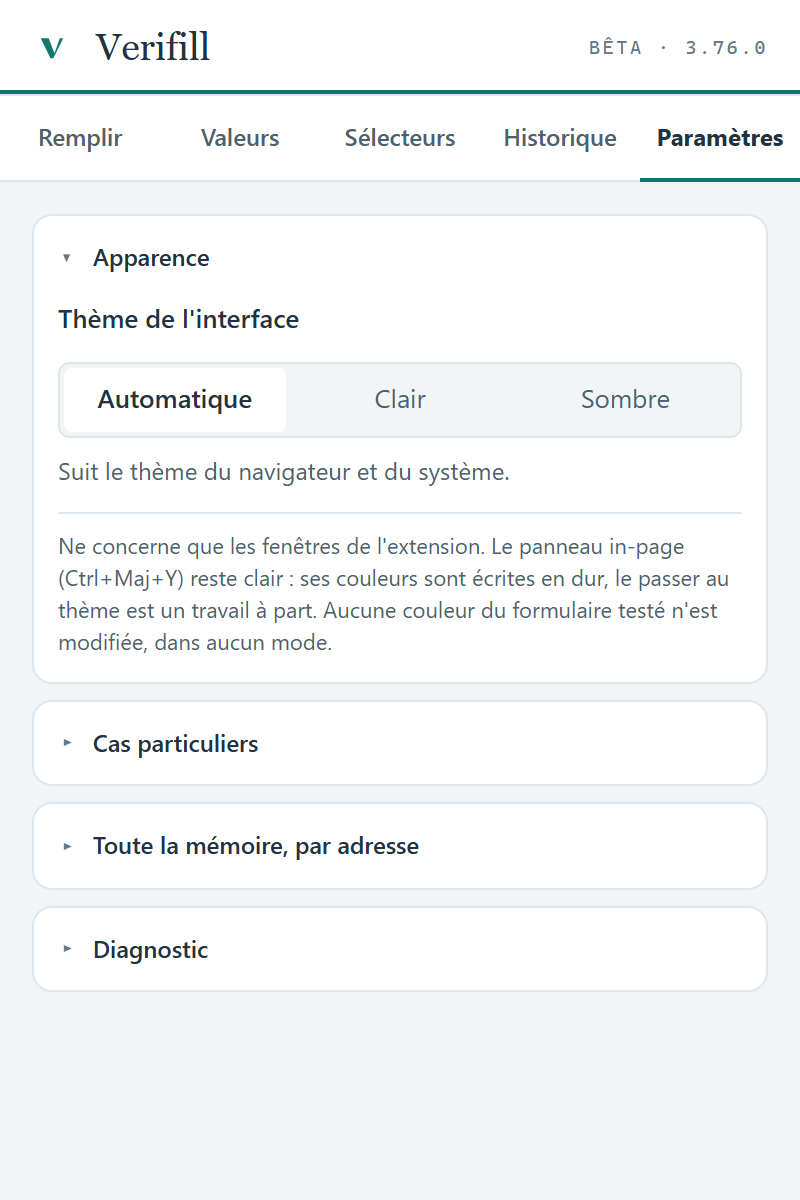
The extension panel, simplified, click the tabs
Typing your name, address and date of birth for the hundredth time. Verifill does it for you, and does it right.
Long online forms: creating an account, signing up, answering a questionnaire, filing a request. Save your details once; Verifill puts them in the right place, in the format each field expects, even on a site it has never seen.
You fill in your own form twenty times a day to check it works. Verifill runs each attempt in one click, remembers your settings per form, follows fields that appear along the way, and keeps a record of what was entered.
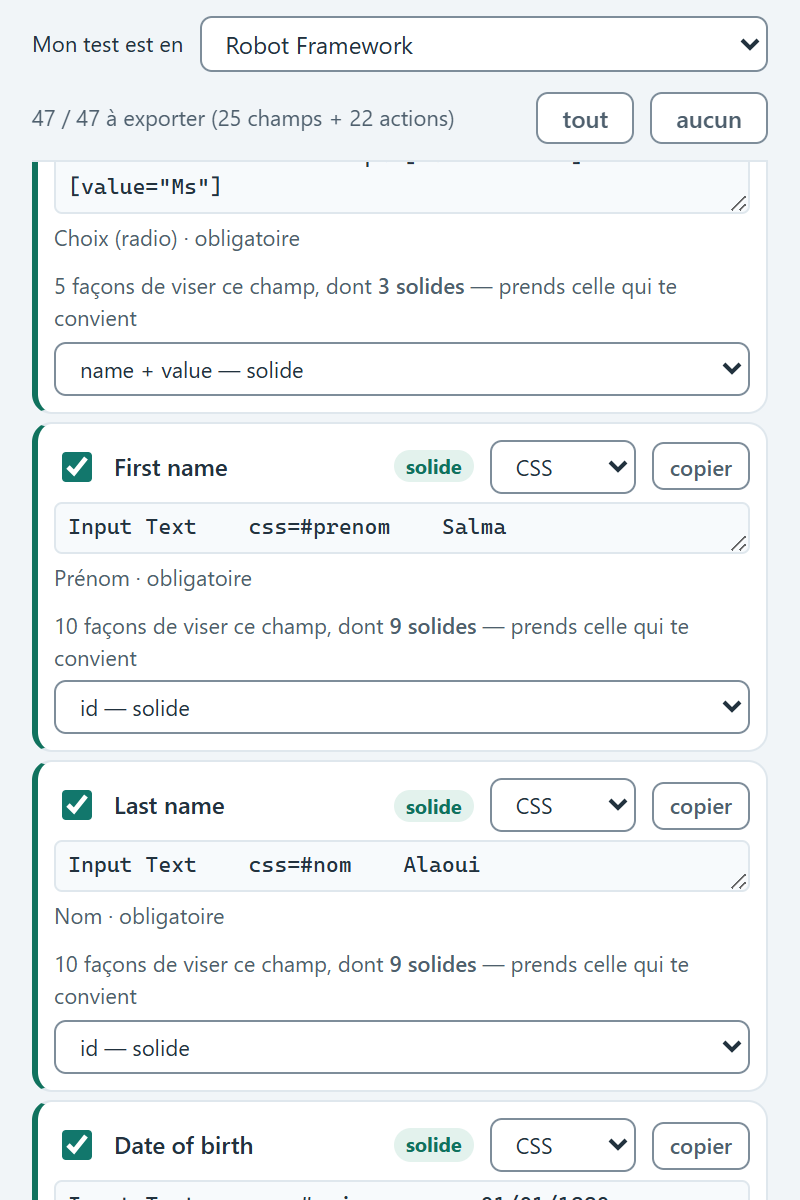
For every field and button: a selector verified on the page, the right frame, and a ready-to-paste script, Robot Framework, Python with Selenium, or JavaScript. Fragile selectors are flagged as fragile.
Many form fillers type anything into any field, and the site says no. Verifill looks at the form, recognises each field, then writes what fits.
A well-formed email address, the date of birth of an adult, a number within bounds, the pattern the field demands, a confirmation that copies the original. These details are what get a form accepted, or rejected.
Save your own values once and for all: Verifill puts them in the right place. When you don't need them, it invents a fictitious profile (first name, last name, address, phone), currently in French and Moroccan formats.
“Doc. no.”, “File ref.”, a label in Arabic in the middle of a French page: when a field's name says nothing clear, Verifill still works out what it is for, and tells you when it isn't sure.
React, Angular or Vue apps, old internal screens, hand-drawn drop-downs, fields inside an embedded frame, fields that appear along the way: that's where the difference shows.
Fields to leave empty, forced list choices, preferred values: everything is kept for that specific form. Come back next week and your settings are there, and one button resets them.
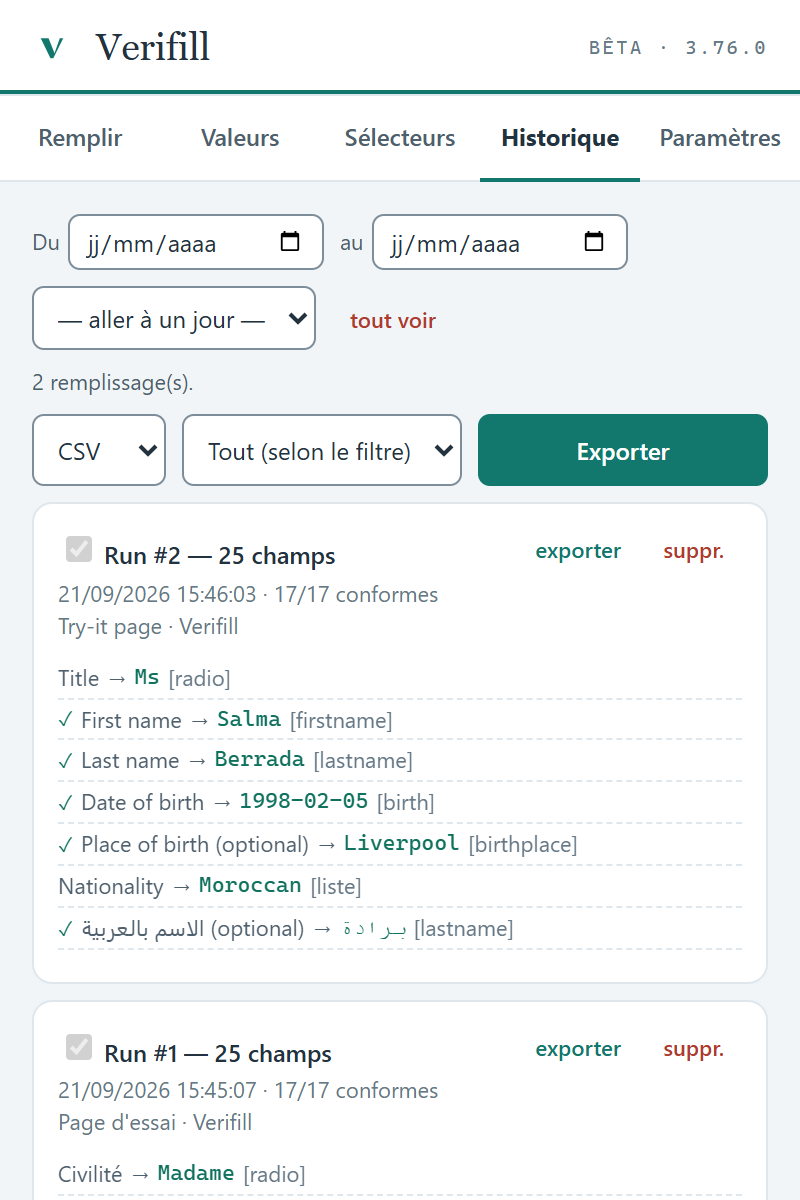
Every filled field is outlined in colour on the page and logged in a history: the value written, its rule, whether it was accepted. The history exports to CSV, Excel or JSON.
Before filling, it shows what it is sure of and what deserves a glance, with the reason. Afterwards, every written field is outlined on the page and logged. Nothing happens silently.
It understands labels in French, English and Arabic. An Arabic field in the middle of a French page is filled in Arabic, that field only.
A table of profiles in CSV, Excel or JSON: Verifill matches columns to fields, works through the rows one by one and remembers your corrections. Or show it once: fill in by hand, click “Learn”, and it will replay.
An ordinary generator gives you a selector that works today. Verifill tells you whether it will still work after the next release: it recognises ids generated by modern UI libraries, counts what each selector actually matches, and flags what is fragile instead of shipping it silently.
Every selector is replayed before it is offered to you: it matches the field, and only that field.
Each field offers several ways to be targeted, each marked solid, ambiguous or fragile. An id that changes with every release is recognised, and set aside.
Every line carries the field's label, “Date of birth”, not input_42.
If the field lives inside an embedded frame, the script enters it first, through a stable marker, then leaves it.
Robot Framework, Python with Selenium or JavaScript; CSS, XPath or JS for each field. Walk through the screens: the export covers the whole journey, in the order visited.
# Généré par Verifill — Try-it page · Verifill
# Chaque sélecteur a été REJOUÉ sur la page : il désigne le champ et lui seul.

# Title  —  Choix (radio) · obligatoire · par name + value
Click Element    css=input[name="title"][value="Ms"]

# First name  —  Prénom · obligatoire · par id
Input Text    css=#prenom    Salma

# Date of birth  —  Date naissance (majeur) · obligatoire · par id
Input Text    css=#naissance    01/01/1990

# Nationality  —  Pays / Nationalité · obligatoire · par id
Select From List By Label    css=#nationalite    British

# Username  —  obligatoire · par name
Input Text    css=input[name="username"]    VALEUR_A_SAISIR

# How did you hear about us?  —  Liste (choix auto) · par id
Click Element    css=#source    # ouvre la liste
Click Element    xpath=//*[@role="option"][normalize-space()="A friend"]    # choisit « A friend »

# --- inside the “Delivery address” frame ---
Select Frame    css=iframe#cadre-livraison    # cadre repéré par id
# Recipient's name  —  obligatoire · par id
Input Text    css=#dest    VALEUR_A_SAISIR
Unselect Frame
# Généré par Verifill — Try-it page · Verifill
# Chaque sélecteur a été REJOUÉ sur la page : il désigne le champ et lui seul.
# Title — Choix (radio) · obligatoire · par name + value
driver.find_element(By.CSS_SELECTOR, "input[name=\"title\"][value=\"Ms\"]").click()
# First name — Prénom · obligatoire · par id
driver.find_element(By.CSS_SELECTOR, "#prenom").send_keys("Salma")
# Date of birth — Date naissance (majeur) · obligatoire · par id
driver.find_element(By.CSS_SELECTOR, "#naissance").send_keys("01/01/1990")
# Nationality — Pays / Nationalité · obligatoire · par id
Select(driver.find_element(By.CSS_SELECTOR, "#nationalite")).select_by_visible_text("British")
# Username — obligatoire · par name
driver.find_element(By.CSS_SELECTOR, "input[name=\"username\"]").send_keys("VALEUR_A_SAISIR")
# How did you hear about us? — Liste (choix auto) · par id
driver.find_element(By.CSS_SELECTOR, "#source").send_keys("A friend")
# --- inside the “Delivery address” frame ---
driver.switch_to.frame(driver.find_element(By.CSS_SELECTOR, "iframe#cadre-livraison")) # cadre repéré par id
# Recipient's name — obligatoire · par id
driver.find_element(By.CSS_SELECTOR, "#dest").send_keys("VALEUR_A_SAISIR")
driver.switch_to.default_content()// Généré par Verifill — Try-it page · Verifill
// Chaque sélecteur a été REJOUÉ sur la page : il désigne le champ et lui seul.
// Title — Choix (radio) · obligatoire · par name + value
document.querySelector("input[name=\"title\"][value=\"Ms\"]").click()
// First name — Prénom · obligatoire · par id
document.querySelector("#prenom").value = "Salma"
// Date of birth — Date naissance (majeur) · obligatoire · par id
document.querySelector("#naissance").value = "01/01/1990"
// Nationality — Pays / Nationalité · obligatoire · par id
document.querySelector("#nationalite").value = "GB"
// Username — obligatoire · par name
document.querySelector("input[name=\"username\"]").value = "VALEUR_A_SAISIR"
// How did you hear about us? — Liste (choix auto) · par id
document.querySelector("#source").value = "A friend"99.3% of suggested selectors rated solid, across 426 elements on 54 pages, re-measured with every release.
Plenty of tools claim they work. We check: a collection of reference forms is replayed in full with every new release, and the result is published, including when it goes down.
Rebuilt from real sites: sign-ups, checkouts, applications, business portals, multi-step journeys, pages in Arabic.
The right answer for each field is written by a person, without looking at what the tool suggests.
Replayed before every release. A single failure, and the version doesn't ship.
356 out of 363, and zero blockers: no value written that the form would reject. The figure is dated and re-published with every release.
Measured on 21 September 2026, version 3.76. A field is “understood” when the tool applies the same rule a person would; the 109 choice fields (lists, checkboxes, radio buttons) are outside this rate, since their value comes from an option. Selectors: 99.3% rated solid across 426 elements.
A form resists it? Send it to us. It goes into our test collection, and the tool improves for everyone.
Report a formThis isn't a marketing promise: the extension simply has no way to send anything. No account, no server, no connection.
No online sync, no usage statistics, no tracking. We have no way of knowing you use the tool.
Act on the tab you're looking at when you click, and keep your settings on your machine. Not your history, not your cookies, not your other tabs.
Install it, use it. No email address to give, no password, nothing to activate online.
Turn the connection off: the tool fills exactly the same. It's the best demonstration there is, and it takes ten seconds.
The full backup is written to a folder you choose on your machine or network, never to a server of ours.
Settings → All memory, by address: you see everything that is kept, and erase it in one click. There is no other copy anywhere.
Yes. Install the extension, open a form, click “Analyse” then “Fill”. There is nothing to configure and no account to create. Advanced settings exist but stay out of the way: you never have to open them.
No, never. The extension contains no networking code at all: no online sync, no usage statistics, no tracking. Turn your connection off and fill in a form: it works exactly the same.
Your browser replays what you typed before, when it recognises the field. Verifill also fills forms it has never seen: it works out what each field expects, respects the format the field enforces, and shows you what it did.
To anyone who automates tests. For every field and button, the tool suggests a CSS or XPath selector verified on the page, says whether it is solid, and exports a script in Robot Framework, Python with Selenium, or JavaScript. The selectors themselves work in any automation tool.
Yes, from the most modern web apps to old internal screens: React, Angular, Vue, hand-built drop-downs, embedded frames, fields that appear along the way. And you are never left guessing: the tool shows, field by field, what it wrote. Got an unusual form? Send it to us, it goes into our test collection and the engine improves for everyone.
Yes. Save your own values, name, address, numbers, and the tool reuses them instead of inventing new ones. They stay in your browser only, and can be erased in one click.
A fictitious profile (first name, last name, address, phone, date of birth) that currently follows French and Moroccan formats. For other countries, save your own values or load a dataset: the tool uses them first.
Nothing is written silently. Every filled field is outlined in colour on the page, and the tool shows what it did and what it skipped. You correct it, and it remembers your choice for that form.
Google Chrome and Microsoft Edge. Firefox and Safari will come later: the engine is ready, only the packaging differs.
To install it from your browser's store, yes. After that, never: not to activate it, not to use it.
Point them to the “Your data” page: it answers a security review point by point. The published package is seventeen readable files, with no third-party library and no downloaded code, and we gladly hand it over for review before any rollout.
The extension installs from your browser's store in one click. Nothing to set up: open a form, click “Analyse”, then “Fill”.